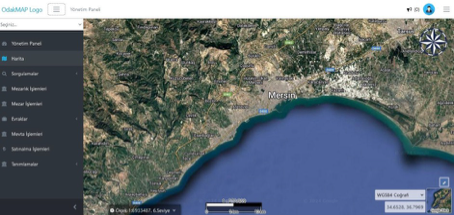
Viewing Cemetery Areas on the Map
The system displays the locations and boundaries of cemetery areas on a geographic map.



Burial and Cemetery Management System
A system that digitally manages cemetery and burial processes on a single platform.
OverviewExplore
Planning, burial, allocation, payment, inventory, field, and integration processes in cemetery management are handled within a single corporate structure.
Overview
Burial and Cemetery Management System is a map-based, integrated software that enables cemeteries, grave plots, and burial processes to be managed digitally.
Capabilities
Core Capabilities
A system that digitally manages cemetery and burial processes on a single platform.
Go to OverviewCollect precise coordinates and grave data at the lowest cost with the Cemetery Management Mobile Application running on compatible with Turkey's national continuously operating GNSS reference station network, GPS-integrated tablets.
The system lists all cemetery areas on a single screen for ease of management.
This screen lists detailed information for each grave in an organized way and simplifies management processes.
Allows grave purchase requests from citizens or institutions to be recorded and tracked easily.
This screen enables citizens to reserve specific cemetery areas for future use.
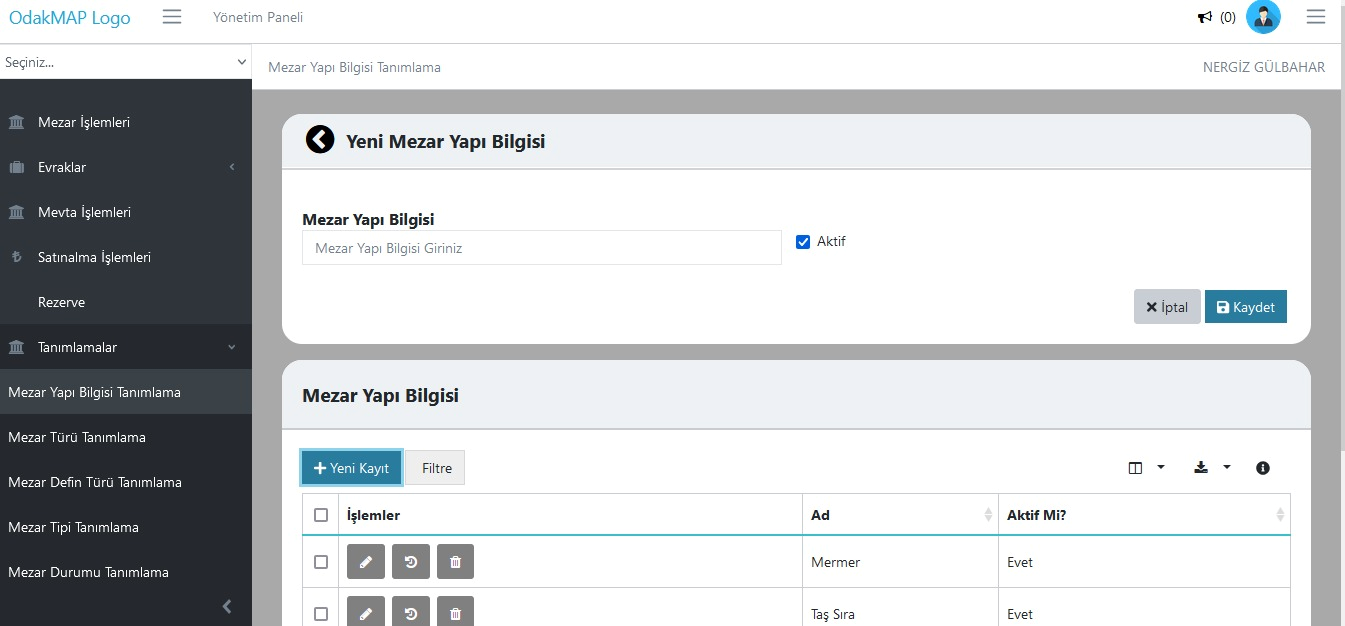
This screen is used to define and manage the physical structure types of graves (for example marble, stone row, lattice, etc.).
Capability Cards
The main modules are organized as concise corporate summary cards within the current page layout.
The system displays the locations and boundaries of cemetery areas on a geographic map.
The system lists all cemetery areas on a single screen for ease of management.
This screen lists detailed information for each grave in an organized way and simplifies management processes.
The Enterprise Resource Planning area lets you track, monitor, and manage the relevant process on a single screen, in line with the corporate workflow.
The Purchase Operations Management area lets you track, monitor, and manage the relevant process on a single screen, in line with the corporate workflow.
The Reservation Management area lets you track, monitor, and manage the relevant process on a single screen, in line with the corporate workflow.
The Grave Structure Definition area lets you track, monitor, and manage the relevant process on a single screen, in line with the corporate workflow.
The Mobile Data Collection area lets you track, monitor, and manage the relevant process on a single screen, in line with the corporate workflow.
Resources
You can access presentation and promotional content about Burial and Cemetery Management System from this section.
A promotional file summarizing the core capabilities and corporate use cases of the product.
View PresentationQuickly review how the Burial and Cemetery Management System solution works and its core screen flow.
Watch VideoProduct Tour
The system displays the locations and boundaries of cemetery areas on a geographic map.
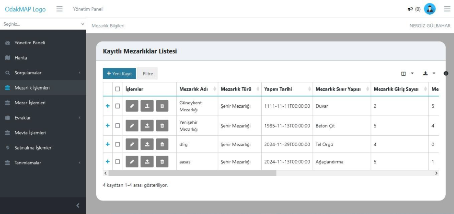
The system lists all cemetery areas on a single screen for ease of management. Each record is displayed with detailed information such as the cemetery name, type, construction date, boundary structure, and number of entrances.
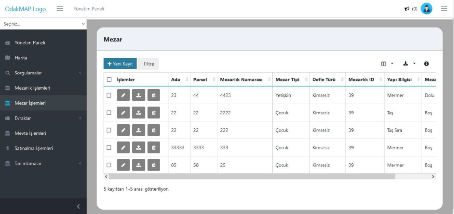
This screen lists detailed information for each grave in an organized way and simplifies management processes. All fields such as the grave block, parcel, number, type, burial type, and structure information can be viewed at a glance.
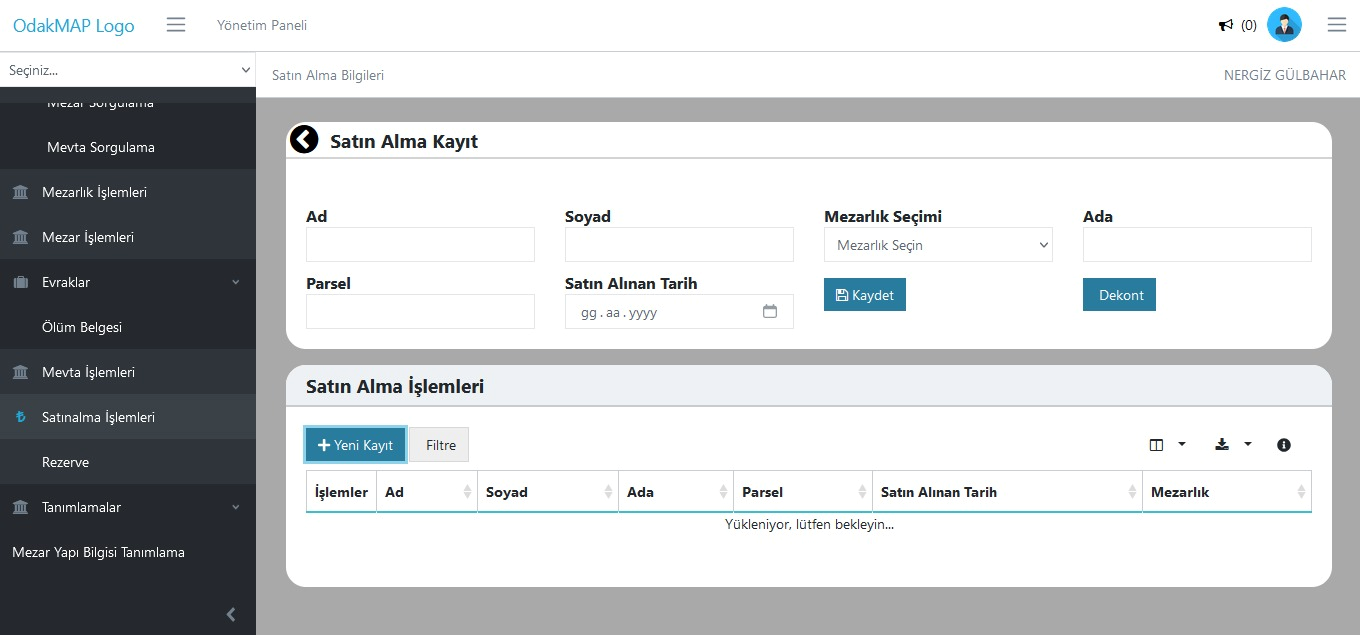
Allows grave purchase requests from citizens or institutions to be recorded and tracked easily. The purchased cemetery information is entered into the system together with fields such as the block-parcel number, buyer details, and date.
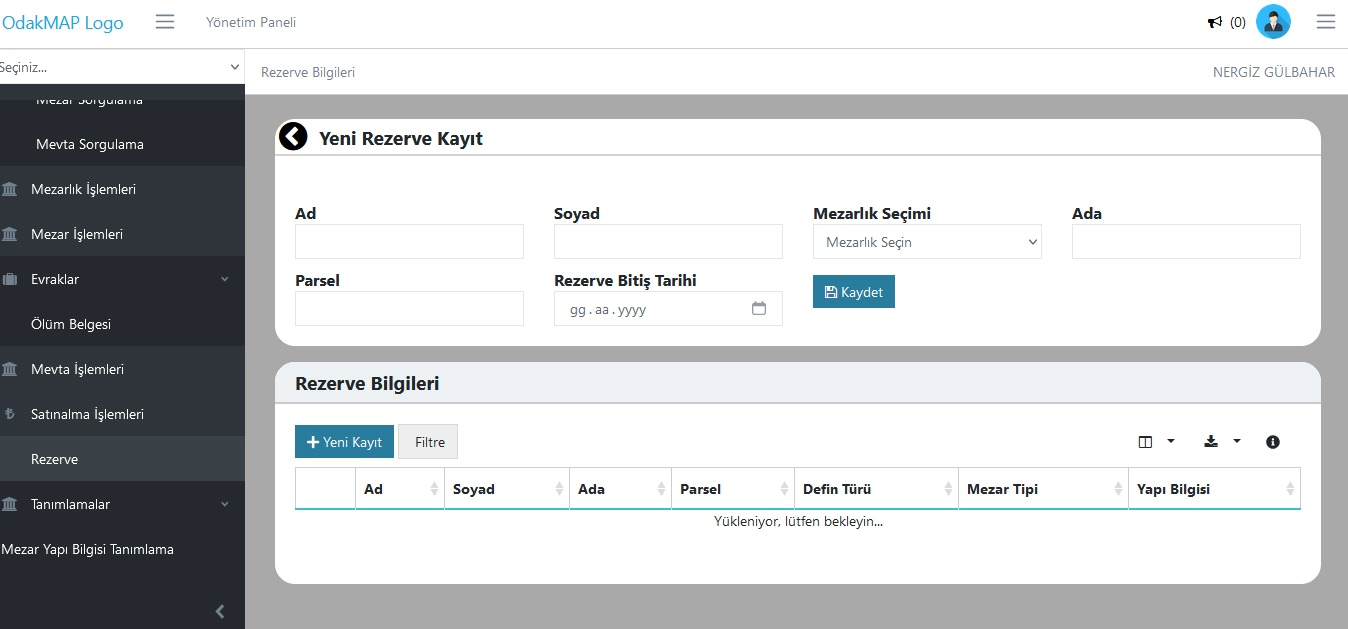
This screen enables citizens to reserve specific cemetery areas for future use. When creating a reservation record, the first name, last name, cemetery selection, block-parcel information, and reservation end date are entered.
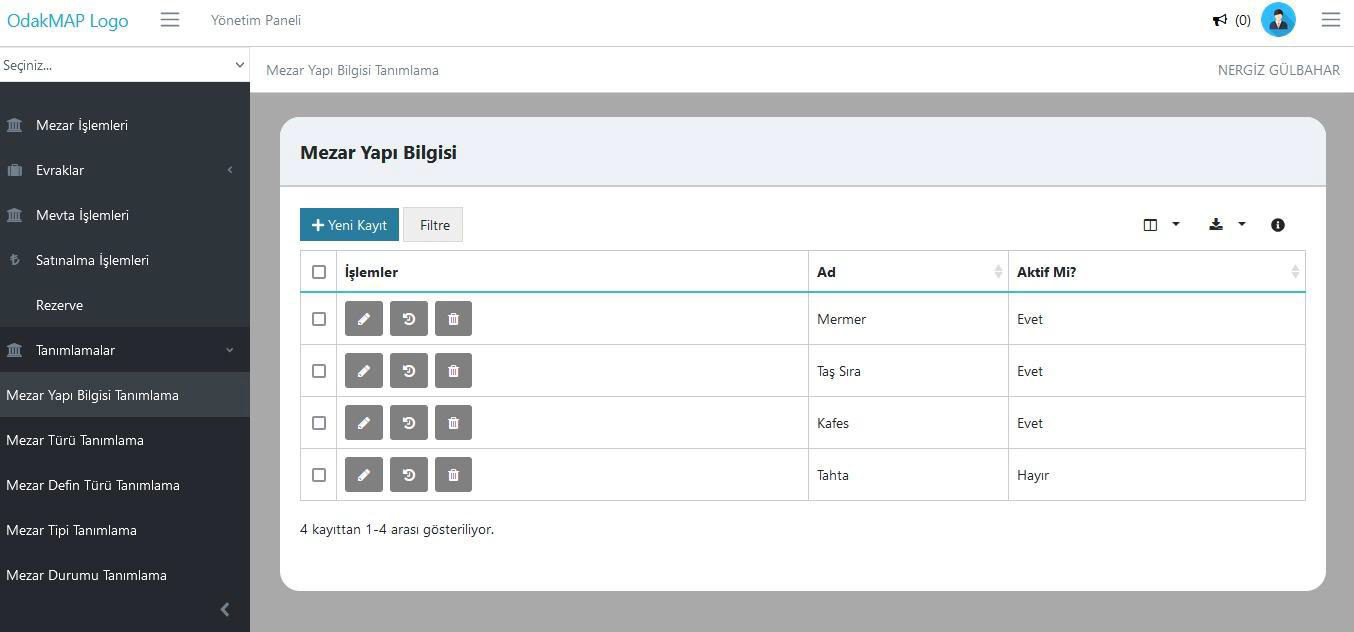
This screen is used to define and manage the physical structure types of graves (for example marble, stone row, lattice, etc.). New structure types can be added, and existing definitions can be edited or deactivated.
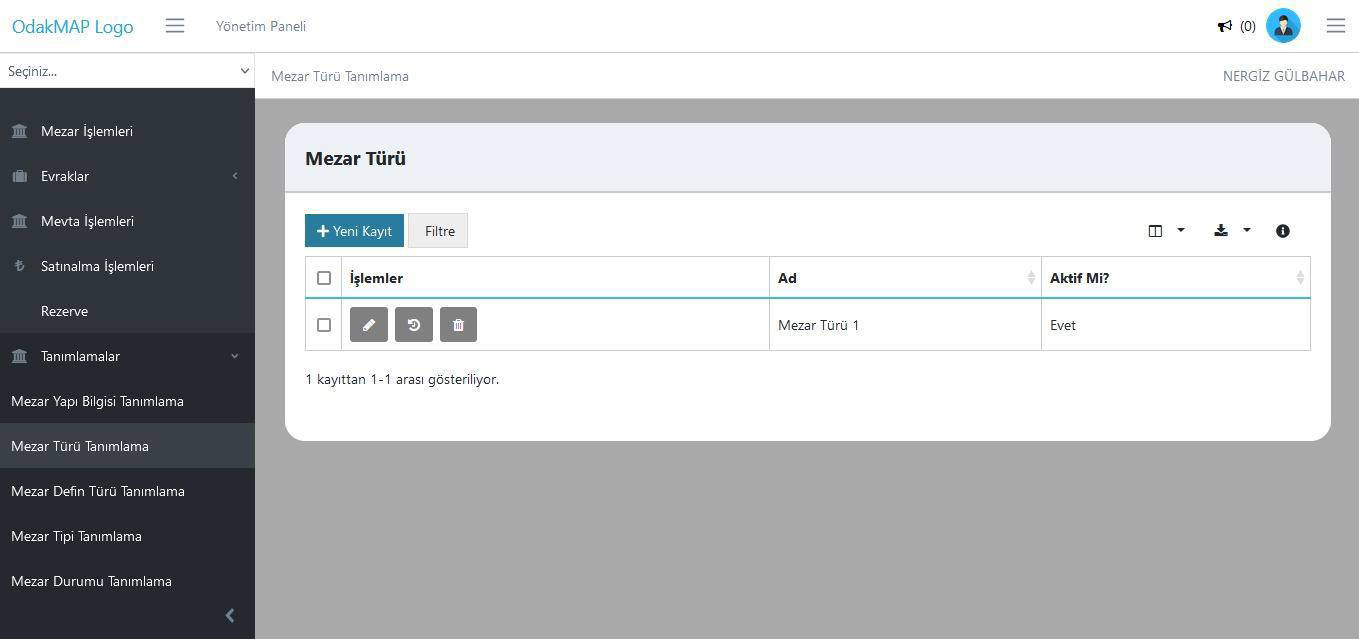
This screen enables the definition of different grave types to be used in the cemetery system (for example single, family grave, child grave, etc.). Users can add new grave types and edit or deactivate existing records.
A GIS module that enables map-based visualization and management of cemetery areas.
A GIS module that enables map-based visualization and management of cemetery areas.
A module where funeral registration and transport processes are carried out end-to-end digitally. Deceased information, burial planning, and grave assignment operations are performed through the system; transport requests can be tracked together with document upload and approval steps.
A module where grave sales and allocation processes are managed digitally. Property information, usage status, allocation period, and start-end dates are defined through the system; zoning plan, amount, and document information are tracked in an integrated manner.
A management screen that enables real-time monitoring of cemetery occupancy rates, burial statistics, collection data, and reservation status. It provides decision support for senior management and strengthens operational planning and capacity management.
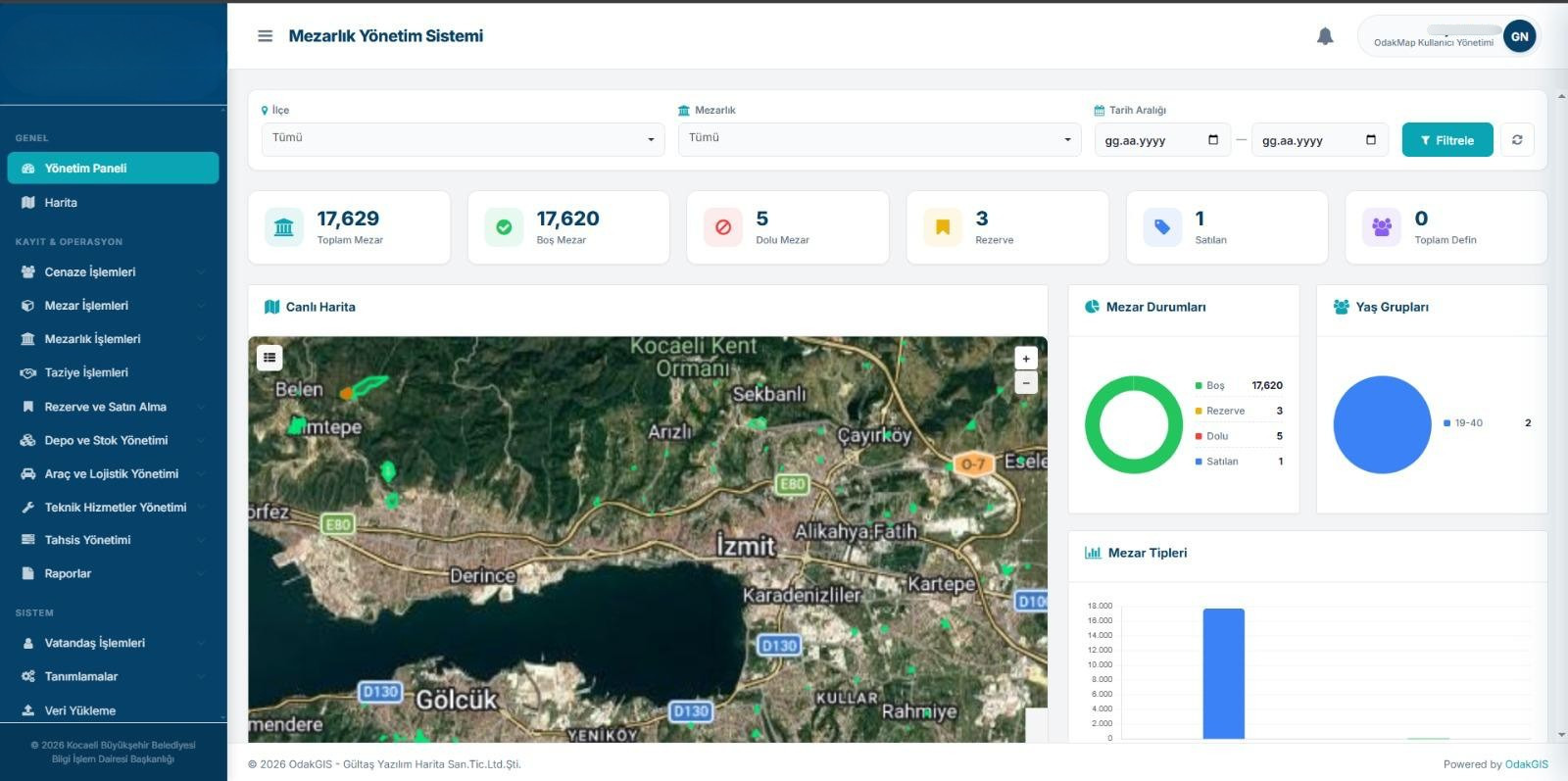
A management panel where the key indicators of cemetery and burial operations are monitored on a single screen. Current records, operation statuses, and operational workload can be tracked quickly.
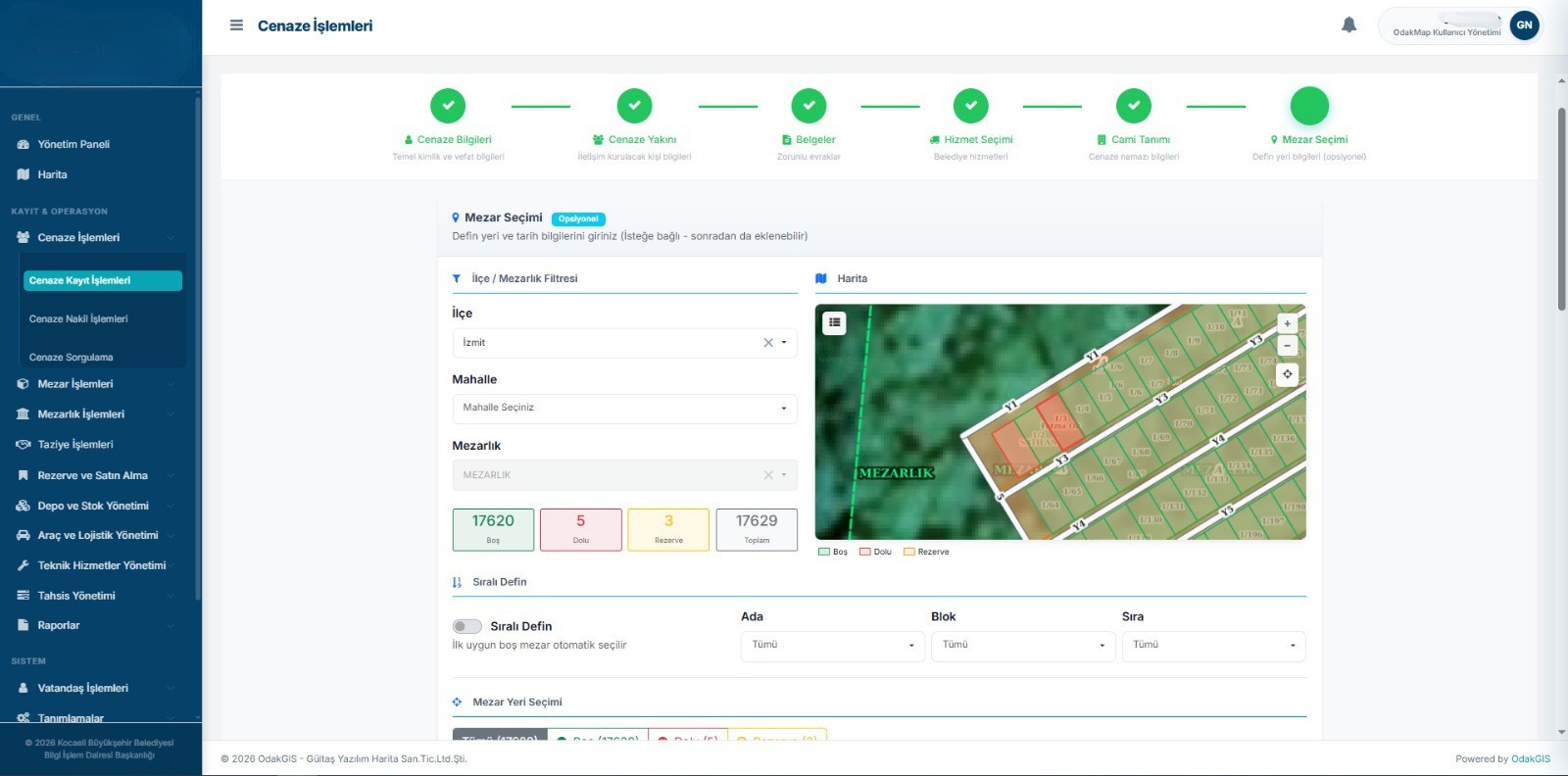
The screen where funeral records are entered into the system together with identity, burial, and cemetery information. The registration process is carried out digitally in line with the corporate workflow.
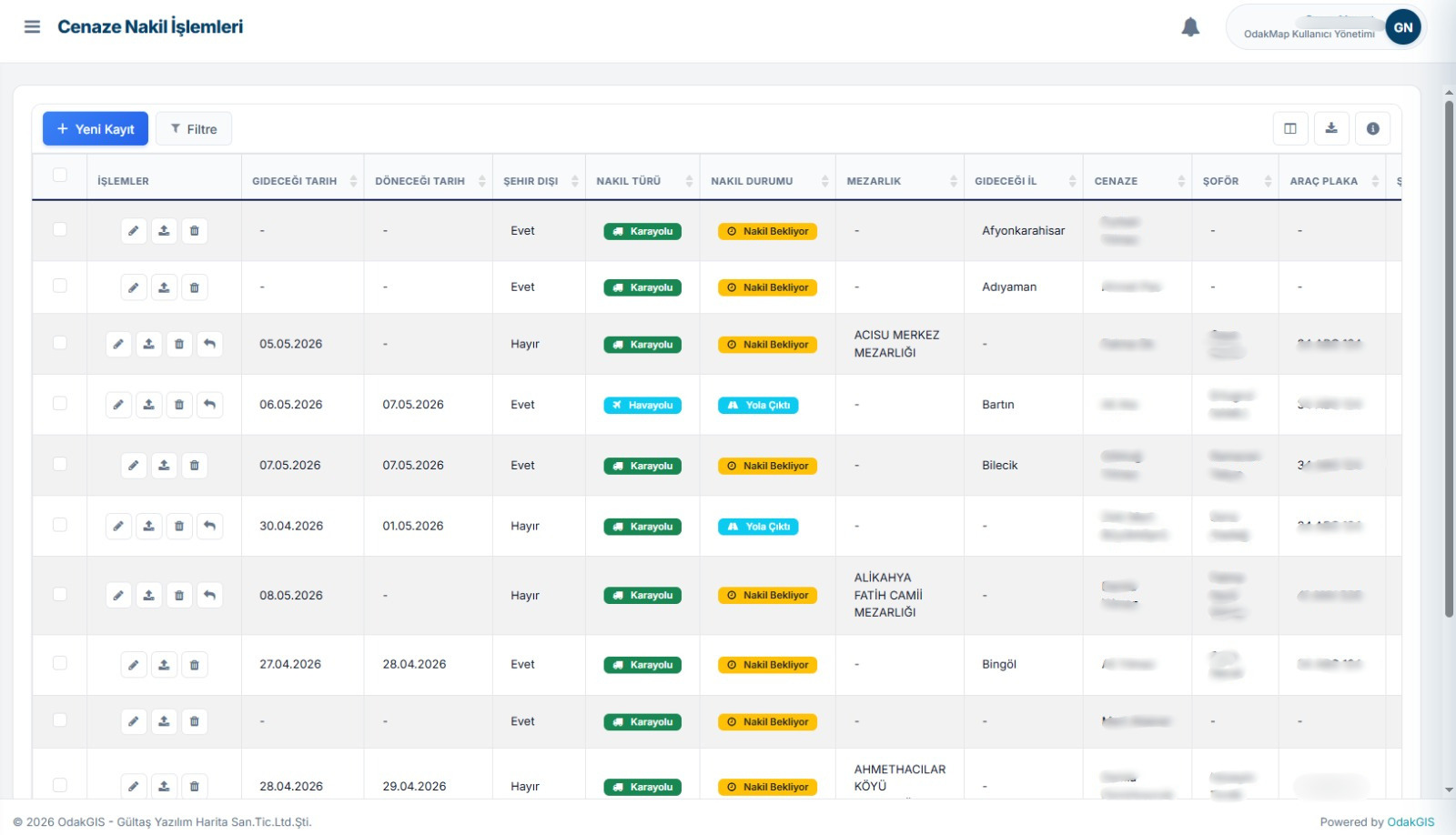
The screen where funeral transport requests are created, made traceable, and managed together with the relevant documents. Transport processes are tracked by operations teams.
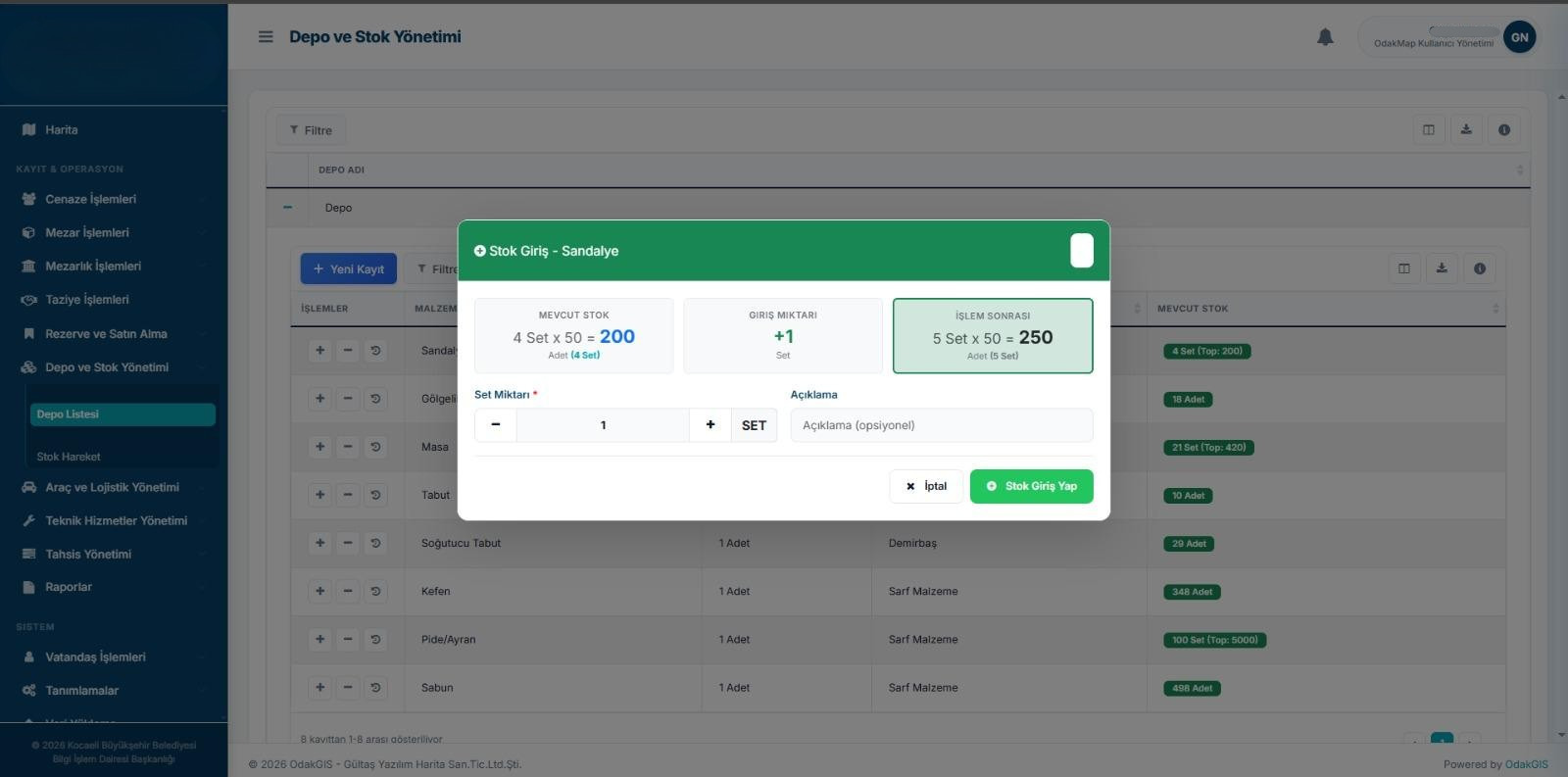
The screen where the inventory entries of materials and equipment used in cemetery services are recorded. Warehouse movements and quantity controls are managed through the system.
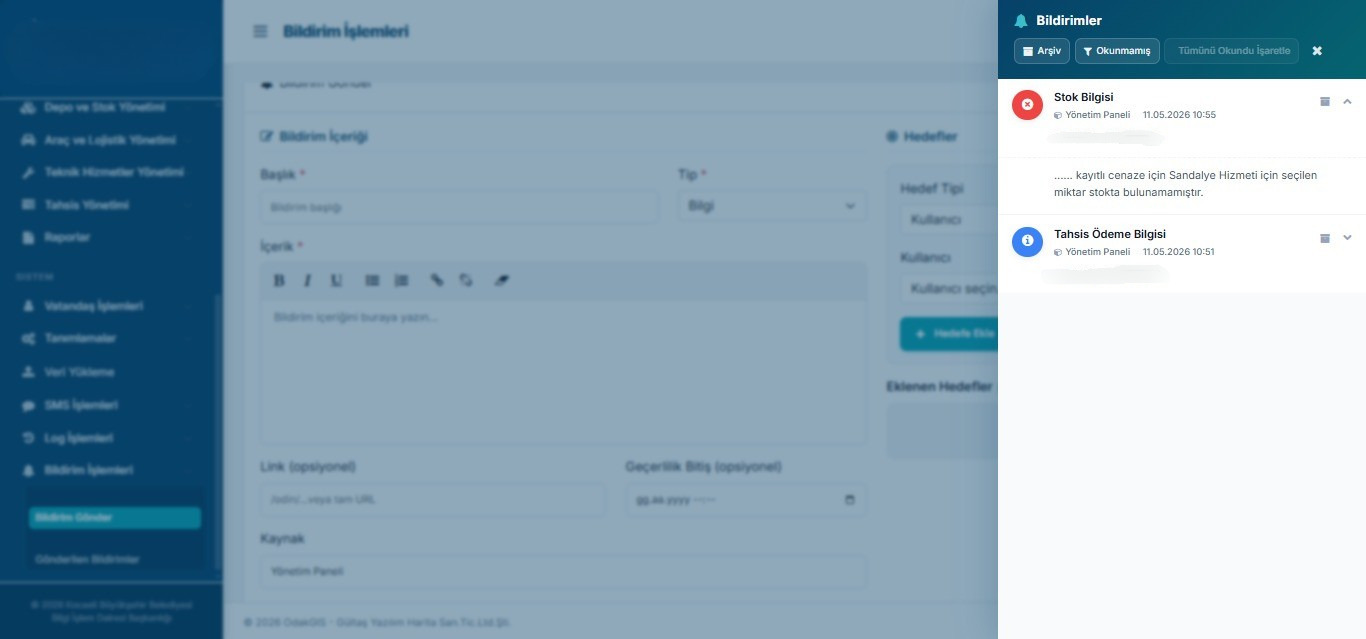
The notification screen where process-related information, alerts, and operation statuses are delivered to the user. It reduces the risk of delays and incomplete operations in operational tracking.
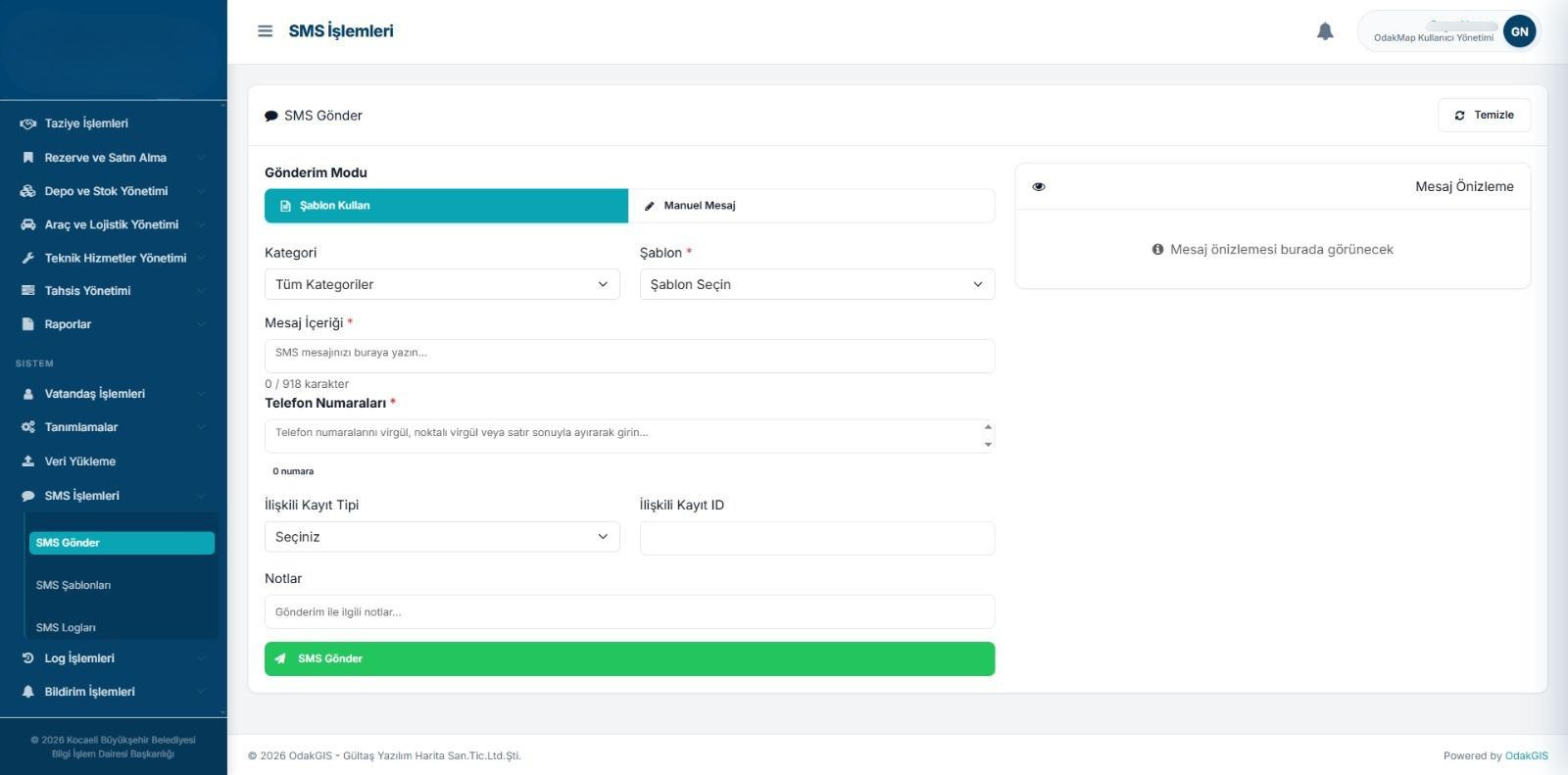
The screen where SMS messages are managed for citizen notifications and operation announcements. Message content and delivery records are tracked within the system.
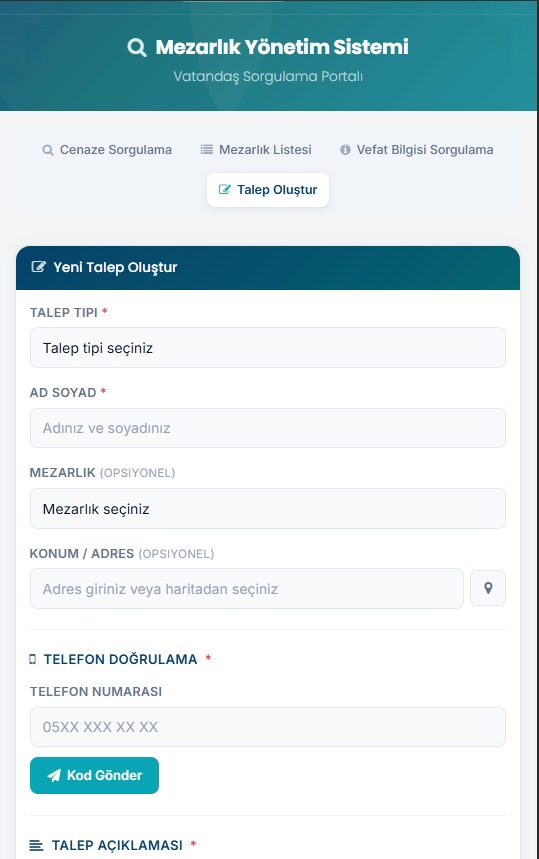
An inquiry panel where citizens can access cemetery, burial, and grave plot information. It supports faster and more accessible delivery of public services.
FAQ
The core use cases and corporate value of the product are summarized here.
Contact UsBurial and Cemetery Management System
Burial and Cemetery Management System is a map-based, integrated software that enables cemeteries, grave plots, and burial processes to be managed digitally.